Tag
Powerpoint Tips – Page 3

How to Create Cool PowerPoint Backgrounds
Many people prefer using default or third-party readymade PowerPoint Templates for making presentations. However, with a little bit of effort you can even create cool PowerPoint…
Smart Usage Of Content For PowerPoint Presentations
When put in the appropriate words of Anaïs Nin, " The role of a writer is not to say what we all can say, but what…
How To Create An Animated Bullet List in PowerPoint
A PowerPoint Presentation with animations is one of the best methods of making an effective presentation. For this purpose you can either use Animated PowerPoint Templates…
Best Ways Of Highlighting Key Points in PowerPoint Presentations
To instantly grab the attention of your audience you must highlight key points in PowerPoint presentations. This can be done with the help of animations, SmartArt…
Best Presentation Tools For Enhancing Your Presentations
PowerPoint presentations can be greatly enhanced if you have appropriate presentation tools to highlight and single out important pieces of information. Let’s take a look at…
How To Keep To Time During PowerPoint Presentations?
Your ability to stick to the provided time for your presentation is counted as an added talent. In most cases people lose track of time once…
5 Tips To Give A Good Visual Presentation Of Data
Presenting the sales scenario of your company or any other vital graphs and data, requires not only a verbally convincing tone, but also appropriate strategy for… PowerPointHow PowerPoint in The Classroom is Helpful?
Each year, as the technology enters into the classroom there are always new innovations that are being brought into the fold which help students learn more…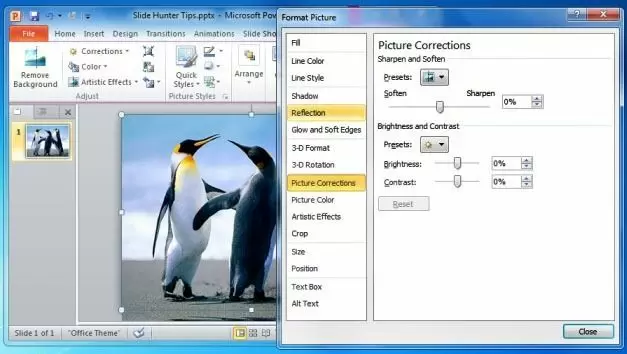
6 Creative Ways Of Using PowerPoint You Did Not Know About
The word PowerPoint immediately leads one to picture presentations, however, that’s not all this app is good for. PowerPoint is quite a powerful app and despite…
How To Record PowerPoint Presentation On Android And Upload It To YouTube
With the introduction of various Office apps, it has become quite easy to view, edit and even create PowerPoint Presentations on Android. In fact, there is…
5 Deadly Sins That Can Ruin Your PowerPoint Presentation
A strong PowerPoint presentation is designed to close down the debate rather than opening it up. In most of the business presentations, PowerPoint slideshows have become…
7 Amazing Presentation Styles
Presentations are empirical, visual, sensory and oral. Presenters need to make sure that delegates have the opportunity to rationalize, experience, see, think, discuss and listen the…
How To Make A PowerPoint Background?
As the number of users of PowerPoint are increasing day by day, the use of distinguished PowerPoint backgrounds in presentations are also on a steady rise.…
5 Great Ways To Use PowerPoint As A Study Aid
PowerPoint is a widely used presentation program for delivering presentations. It has not only made its mark in the business world, but has become a commonplace…
5 Fantastic PowerPoint Ideas For Kids
Projects and presentations are a significant part of growing up. For kids, making a PowerPoint Presentation is a skill in itself. In today's cut-throat competition, one…
How To Make Your Presentation Feel Like A Conversation
During the PowerPoint Presentation, audiences tend to doze off. It is just a natural reaction since people are directed by needs, they look at you giving…
7 Tips To Engage Audience With Effective PowerPoint Presentation
Whether you are an experienced or beginner in giving presentations, you can drastically increase results in any PowerPoint Presentation. Engaging an audience is fundamental key to…
Public Speaking And Presentation Tips For PowerPoint
Over the last decade, it has become easier to be an outstanding public speaker with the aid of PowerPoint. The majority of presenters love to use…
How To Display Date And Time In PowerPoint Presentations
Keeping track of time and giving a stylish touch to your PowerPoint Presentations can both be achieved by adding time and date to your slides. In…
Ideas For Human Resource PowerPoint Presentations
Human Resource is the set of individuals who make up the manpower of an economy, business sector or organization. In today's modern day age, HR focuses…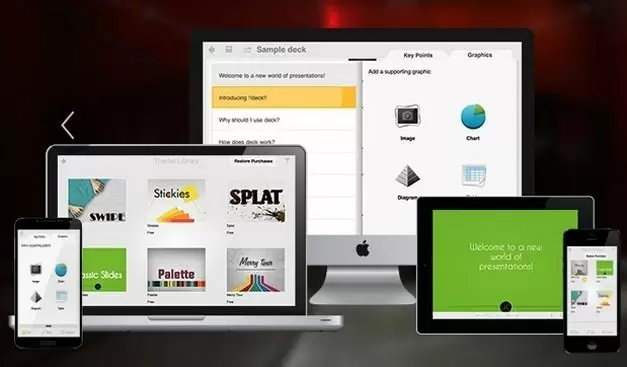
Turn PowerPoint Presentations To Animated Online Slides With Deck
Deck is a presentation web app for creating online slides and retouching existing PowerPoint files, right from a browser, smartphone or tablet. Deck is available not…
How To Annotate PowerPoint Presentations With Ink Tools
The Start Inking feature of Microsoft Office has previously faced a lot of criticism, as it was only available for tablet PC users. However, all that…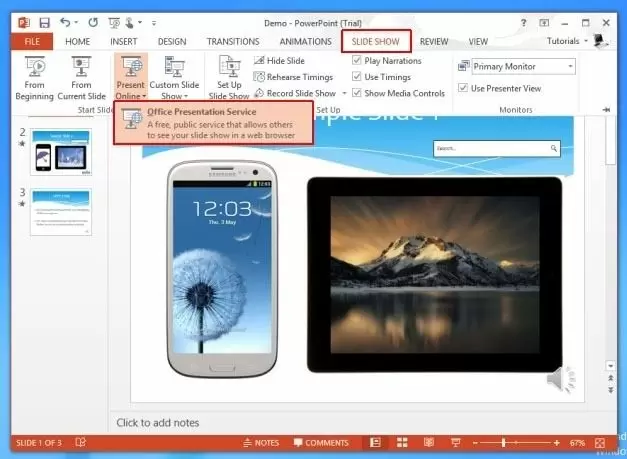
Present Live PowerPoint Presentations Online With Office Presentation Service
Office Presentation Service is a feature of Microsoft PowerPoint that can be used for sharing and presenting your presentations “Live” to global audience via the internet.…