Tag
Powerpoint Tips

Choosing a Color Scheme for your PowerPoint Presentation
Choosing the right color combinations for presentations can significantly impact your audience's engagement and the way your presentation is seen by it. Colors have different meaning…
5 Best Free PowerPoint Viewers
Many teachers nowadays use PowerPoint slides for lectures and to aid students. Some teachers even go as far as emailing study material and lecture slides as…
How to Recover a PowerPoint Presentation File from the Temp folder
Have you ever spent hours working on a PowerPoint presentation, only to accidentally close it before saving your hard work? It's a situation that most of…
How To Disable Protected View in PowerPoint, Word & Excel
You might have noticed that when you download an Office file from the Internet, say a PowerPoint Template, it is not immediately editable. This is because…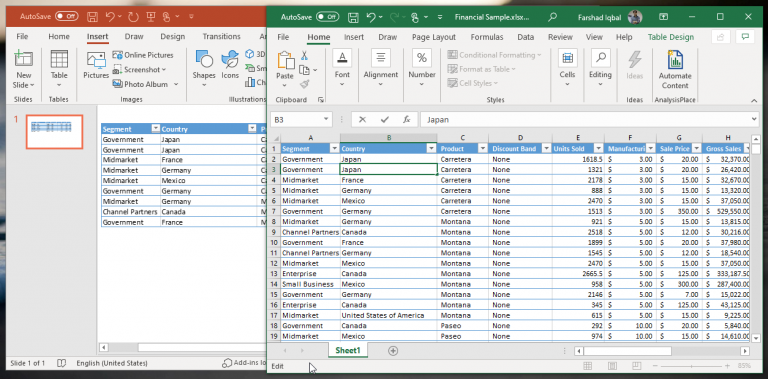 PowerPoint Tricks
How to Automatically Update Excel Data in PowerPoint
Data in Excel spreadsheets has always been in a state of flux. This might mean that the presentation you made yesterday might require an update with… PowerPoint Tricks
Best Methods to Insert Data from Excel in PowerPoint
Excel spreadsheets often contain data that needs to be presented in the form of a PowerPoint presentation to explain data, trends and forecasts. Recreating Excel data… PowerPoint Tricks
How to Compress Images and Disable Auto Compression in PowerPoint
PowerPoint provides various compression options to keep the size of presentations manageable. You can not only compress images manually in PowerPoint but also opt for disabling…
How To Add Tabs For PowerPoint
One of the few things that can really improve the functionality of Microsoft PowerPoint is a tabbed interface. Unfortunately, this is not available by default. Tabs… PowerPoint Tricks
5 PowerPoint Tips to Make Your Presentation Special
There are a number of things that you can do to make your presentation special. Adding a video, zooming into content, and using the Office 365…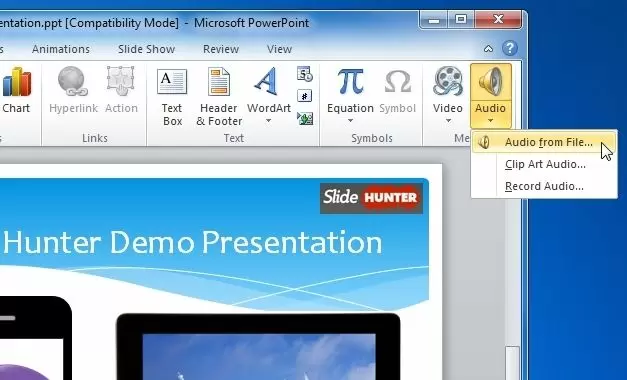
How To Add Music To Your PowerPoint Presentation
In today's corporate world, it is becoming important that presentations have a huge impact on the audience's mind. Using PowerPoint, you can add music to your…
How To Present Good Presentations With Visual Aids?
In order to create effective PowerPoint Presentations, good public speaking skills coupled with the use of visual aids works hand in hand. Your stage presence and…
How To Convert Video To GIF For PowerPoint Presentations
Ever seen those flashy GIF avatars that playback a video loop? It’s time you learned how to make one and better yet, how to convert your…
How To Create A Picture Bullet List in PowerPoint
A good presenter can often be identified by the way he use his bullet lists. Instead of text heavy slides many presenters look to chip in information in…
3 Ways of Promoting Your Business with PowerPoint Presentations
Microsoft PowerPoint is absolutely ideal to promote your business. This is because; as a business owner you have to advertise and provide lengthy explanations to customers.…
Animated Factory Product Process PowerPoint Template
It’s hard to find a template that can depict an assembly line or factory process with eye-catching graphics. The Animated Factory Product Process PowerPoint Template is…
How To Create Animated Billboard in PowerPoint
Billboards are meant to attract the attention of people on the road to advertise products and services, to send out a social message or to campaign…
How To Play A Video Inside A Picture Frame in PowerPoint
You might think that adding a video in a presentation might help you give elaborate details about your presentation topic with facts, figures and animations. Inserting…
How To Link PowerPoint Slides Using Buttons
Action buttons can be added on the Home slide or across different slides to make navigation easy when presenting your presentation. This is a much better…
Make PowerPoint Presentations With Quizzes & Apps With Office Mix
PowerPoint presentations are used extensively for various purposes such as educational, business and a lot more. These have gained much popularity these days and with the…
How To Send A Word Document To PowerPoint As Slides
Creating presentations often comes across as a cumbersome task. But, what if I told you that there is a way that you can create the content…
How To Recover Corrupt PowerPoint Files
PowerPoint has become one of the top trending applications not only for business but for various other purposes too. Regardless of its efficiency, there may be…
How To Get The Most Out Of PowerPoint 2013
The functionality of this all new and exclusive Microsoft Office 2013 has now been streamlined considering both Tablet devices as well as laptops and desktop computers…
Using PowerPoint As A Teaching Aid
PowerPoint is a ubiquitous software. Since its inception, it has played a crucial role in different spheres of life. Many consider it as a beneficial tool,…