Tag
Video – Page 2
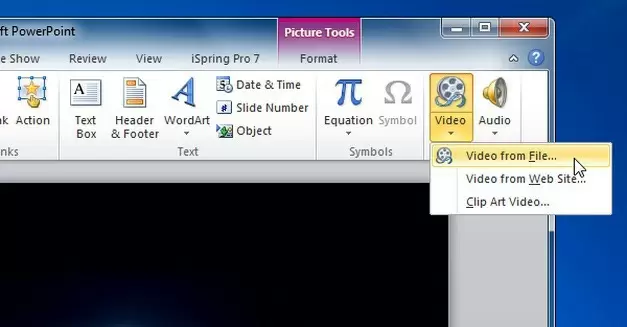
Best Methods To Insert Videos in PowerPoint Presentations
Adding videos to PowerPoint presentations can help you perform half the job of presenting your ideas in a persuasive manner; as videos can have a deep…
Create Web And Mobile Ready Video Presentations With iSpring Pro
Making video presentations may require using a mix of various applications or to use complex and resource intensive application suites. While you can create high-quality video…
ScreenFlow: Create High Quality Tutorials, Screencasts And Presentations On Mac
When it comes to making screencasts and video presentations on Mac, there are very few tools that provide the desired output quality. Some of the most…
Insert YouTube Videos in Microsoft Word To Present Presentations
While Microsoft PowerPoint is considered as the only presentation application in the MS Office suite, we can also use other Office apps for this purpose. This…
Shared.Com Brings Lightning Fast File Upload With 100GB Cloud Storage
One of the most annoying aspects of even the most famous cloud storage services is the slow upload rate. Moreover, the file sharing options in cloud…
Create Demos And Animated Videos Online With Wideo
Hiring professional help to create animated presentations, standalone animations or video demos can cost a fortune, luckily there are some very handy free web services that…
How To Create GIF Animations From Vimeo And YouTube Videos
In a previous post we showed you “How To Convert Video To GIF For PowerPoint Presentations”. While the process mentioned in our former post included the…
Picturelife: Free Cloud Storage Service To Save And Organize Pictures
While there are many cloud storage services that you can use to store your photos and videos, organizing them isn’t easy. Even services like Dropbox may…
Cloudup: Upload And Share Files With 200 GB Free Cloud Storage
With cloud storage giants like Dropbox, Box, SkyDrive, Google Drive and Amazon S3, it is quite difficult for any cloud storage service to gain ground. Yet,…
Official VLC For iOS App: Now Available For iPhone And iPad
VLC is one of the most famous media players for desktop operating systems and since long users have longed for it on mobile devices. VLC for…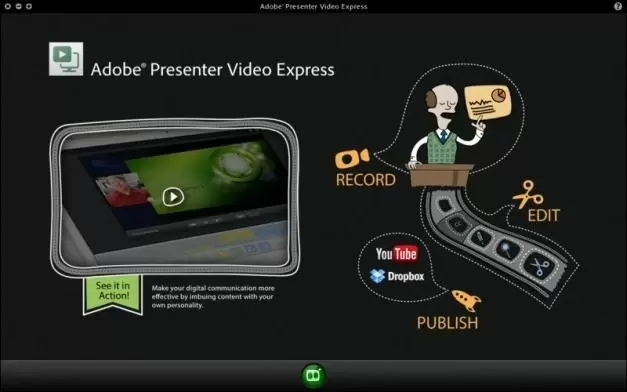
Create Studio Quality Video Presentations With Adobe Presenter Video Express
Adobe Presenter Video Express is a free application for Mac for creating studio quality video presentations, webinars, product demos, e-learning courses and the like. What is…
Things To Know About Screencast-o-Matic
Screencast-o-Matic is a Java based cross-platform web app which has been developed to enable users to record screencasts across different operating systems, (such as PowerPoint video…
Record Screencasts Using Filter Effects With Free Screen Recorder
Screencast tools are widely used for creating video tutorials, e-learning courses, and even videos for PowerPoint presentations. Some application suites like Lectora and Articulate Storyline are…
Create Amazing Video Presentations On iPhone And iPad With Stitch
While PowerPoint is perhaps the most common presentation platform, sometimes it can be more effective to use an alternative application. Making effective presentations isn’t easy and…
Present Interactive Presentations From iPad With Presentation Link
Presentation Link is an iOS app for displaying interactive presentations from iPad. It is among the very few handy apps that allow extending the functionality of…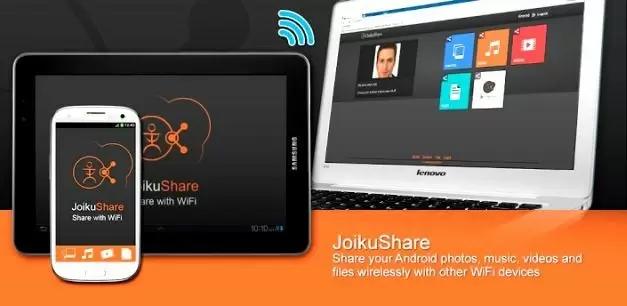
JoikuShare: Share Files From Android To Other Devices Over Wifi
JoikuShare WiFi File Transfer is a free Android application for sharing your photos, PowerPoint presentations, audio, video and other types of files with other devices over…
Record, Upload And Share Presentations Online With PresentationTube
PresentationTube is a web service for instantly uploading and sharing your video presentations. It also provides a Windows application for creating screencasts with your PowerPoint slides…
Present.me: Create Online Slides With Video Recording Of The Presenter
While there are many web services which make it possible to upload and share PowerPoint presentations online, many services do not allow adding a voice over…