Category
Articles
 Articles · Updated 17 Feb 2026
How to Create Markdown Slides: A Step-by-Step Guide
Markdown slides are presentations written in plain text (Markdown) and rendered into a slide deck. Instead of clicking shapes and text boxes from the start, you…
How to Delete Textbox in PowerPoint
Deleting a textbox in PowerPoint might seem like a simple task, until it doesn’t work. You press Delete, and nothing happens. Whether you're making an important…
How to Make a Wavy Line in PowerPoint
Wavy lines are a great way to add a creative and dynamic touch to your PowerPoint presentations. They can be used for design elements, dividers, or… Articles · Updated 4 Nov 2026
5 Ways to Secure Your Microsoft PowerPoint Presentations
Whether you work professionally or as a student, Microsoft PowerPoint is probably your first choice of tools for presenting ideas. Given the scope of features and…
How to Make an Equilateral Triangle in PowerPoint
When designing PowerPoint presentations, having a solid understanding of how to create and use geometric shapes effectively can elevate the quality of your slides. One such… Articles
How to Design an Online Course with PowerPoint and iSpring Suite
Microsoft PowerPoint is the first program that comes to mind when you need to put together slides for a public presentation, design a simple infographic, or… Articles
Presentation Design on Mac: Key Tools You Need
Conveying a message can be tricky. If you make a mistake, the message could be diluted. This is not to mention that you can lose the…
How to Make a Half Circle in PowerPoint
In presentation design, the inclusion of simple shapes can dramatically transform the visual appeal and effectiveness of your presentation. Among these shapes, the half circle can…
How to Make a Killer Presentation that Engage Audience (with Actionable Tips)
Learn how to make a killer presentation. Key elements of a good presentation, including structure, visual aids and design.
How to Add Copilot to PowerPoint
Integration of artificial intelligence tools like Copilot in PowerPoint has opened new possibilities for creativity and efficiency. Whether you're preparing for a corporate meeting, academic lecture,… Articles
8 Key Elements of Killer B2B Sales Presentations In 2025
Mastering the art of B2B sales presentations can dramatically influence your success in business. With a myriad of elements to consider, it's essential to identify and… Shapes
How to Add a Border to a Slide in PowerPoint
Adding custom borders to PowerPoint slides is a simple yet effective way to enhance your presentations. This article will walk you through the process and explore…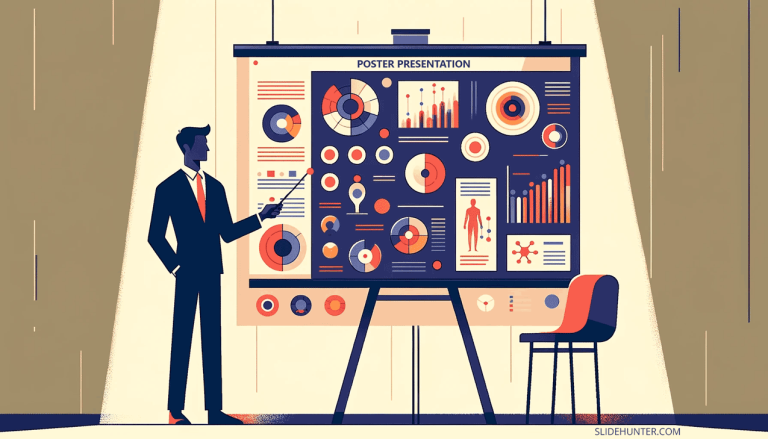 Presentations
Poster Presentations in PowerPoint: A Step-by-Step Guide
Poster presentations are widely used in academic and professional circles, offering a platform to showcase research, ideas, and innovations. PowerPoint, as a presentation design tool, can… Presentations
10 Uses of PowerPoint: Creating More than Just Presentations
PowerPoint, which is part of Microsoft Office Suite, is renowned for its capacity to create presentations across various sectors, such as business, education, and religious organizations.…
How to Replace Icons in a PowerPoint Slide (Easily)
In PowerPoint, you can add icons using the Add Icons feature. However, in some situations, you may be tempted to replace the current icons with other… Articles
12 Free Presentation Templates for Business Professionals
Communication skills have always been one of the core skills for business professionals. Business professionals must know how to use presentations to help them get their…
Articles
Unlocking Your Creative Potential: 7 Essential Tips for Thriving Artists in 2024
Being able to envision something and make it into being is transformative for creatives and everyone they touch. Imagine how less vibrant our lives would be…
Choosing a Color Scheme for your PowerPoint Presentation
Choosing the right color combinations for presentations can significantly impact your audience's engagement and the way your presentation is seen by it. Colors have different meaning… Articles · Updated 13 Mar 2026
Tips to Write a Reflective Essay on a Presentation
Reflective writing is an important skill that helps people think about their experiences and share their thoughts and feelings about something special. When we reflect on… Articles
How to Create a Professional-Looking Video to Incorporate Into Your Powerpoint Presentation (When You’re On a Budget)
In today's fast-paced business world, incorporating professional-looking videos into your PowerPoint presentations can make a lasting impression. However, it doesn't mean you have to break the… Articles
Unlocking the Power of Video for Effective Internal Communications
Good internal communication leads to better team relationships, boosts morale, combats gossip, and gives your workforce the tools to cooperate effectively, improving productivity. But the ways… Articles
How to Make a Picture Transparent in Google Slides
Learn how to make images transparent in Google Slides with our step-by-step guide, perfect for presenters and designers looking to enhance their presentations with visually appealing effects. Sound & Video
How to Embed a Video in PowerPoint: Supported Formats, Tips & Tricks
How to Embed a Video in PowerPoint: Supported Formats, Tips & Tricks