Tag
Google Slides
 Articles
How to Make a Picture Transparent in Google Slides
Learn how to make images transparent in Google Slides with our step-by-step guide, perfect for presenters and designers looking to enhance their presentations with visually appealing effects. Best PowerPoint Templates
Slides Carnival: Free Google Slides Templates
While there are many websites which provide free PowerPoint templates, there are few which offer templates which can be used on Google Slides. Usually, a template… Articles
Google Slides Login – How To Login to Google Slides to Prepare a Presentation
Users can access Google Slides from their desktop and mobile using a Google Account. Using Google Slides you can create or edit beautiful presentation with amazing… Tutorials
How to Change Margins in Google Docs and Orientation in Google Slides
There might be a time when you would want to show your document saved on Google Docs or your uploaded PowerPoint presentation saved at Google Slides…
FGST: Best Free Google Slides Templates
Google Slides is becoming the defacto standard for modern presentations on the cloud. With its built-in collaboration feature, teams can edit the presentation concurrently and the…
How To Use Chrome For Creating, Editing & Viewing MS Office Files
Not everyone has Microsoft Office installed on their computer. Moreover, the Office Suite itself can cost a fortune, making it difficult for people to purchase multiple…
5 Best Android Apps For Business Presentations
There are more Office apps at the Google Play Store for Android than there are for desktop platforms. Unlike operating systems like Windows or Mac, there…
Best Cloud Services To View & Edit PowerPoint Presentations
It took a while for cloud services to catch up with desktop apps in the provision of robust editing features for Office documents. It all started…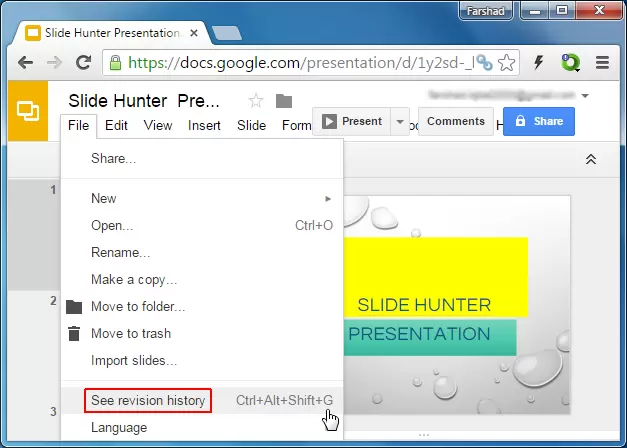
How To Restore Old File Version in Google Drive
When working with Office documents a corrupt file or a mistake can often lead to wasting hours of work. While products like Microsoft Office Suite do…