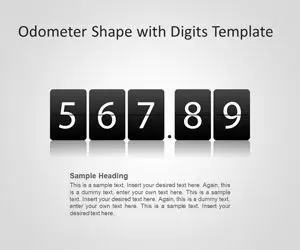
Odometer Shape with Digits PowerPoint Template
Free Odometer Shape PowerPoint template with digits is a free template for PowerPoint presentations that let you prepare awesome presentations with odometer digits. You can download free odometer PowerPoint template to make presentation dashboards using Microsoft PowerPoint or other presentations with countdown and numbers.
- Format
- .zip
- Downloads
- 11,277
About this template
Free Odometer Shape PowerPoint template with digits is a free template for PowerPoint presentations that let you prepare awesome presentations with odometer digits. You can download free odometer PowerPoint template to make presentation dashboards using Microsoft PowerPoint or other presentations with countdown and numbers. Odometer PPT template for Microsoft PowerPoint is an awesome presentation template with digits for analog and digital presentations. Free odometer digits template for PowerPoint is compatible with major versions of Microsoft PowerPoint 2010 and 2013.
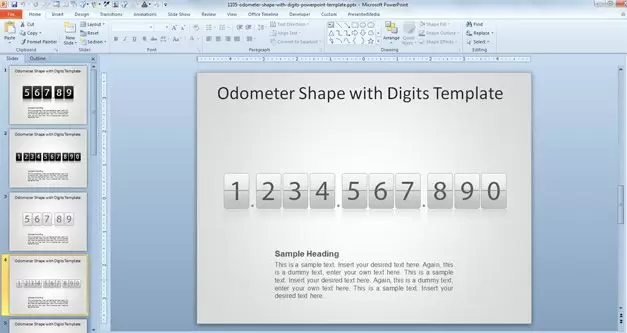
Free Odometer template for PowerPoint presentations contains four unique slide designs with editable digits for PowerPoint presentations that you can edit to compose any number. In this PowerPoint template you can copy and duplicate digits to compose any desired number and you have assets like dots and white or dark digits.

The free slide template with odometer digits contains a light and dark style that makes possible to create presentations with odometer very useful for dashboards and panels in PowerPoint.

The digits are editable using shapes in PowerPoint so you can reproduce any desired number. Alternatively you can download other free PowerPoint shapes, vectors, illustrations and PowerPoint backgrounds for rich presentations.
How to customize it
- Download the file. If it arrives as a .zip, extract it to get the .pptx.
- Open it in PowerPoint or Keynote, or upload it to Google Drive and choose Open with › Google Slides.
- Click any shape or text box to edit it. Change colours under Shape Format › Shape Fill.
- Delete the slides you don’t need, then save under a new name.
Questions
Is this template free?
Yes. It is free to download with no account. Free for personal and commercial use. Edit freely, no credit needed. Don’t resell or re-upload the templates themselves.
Does it work in Google Slides or Keynote?
It is a PowerPoint (.pptx) file. Google Slides and Keynote both open .pptx files; upload it to Google Drive and choose Open with › Google Slides, or open it directly in Keynote. Some effects can look slightly different outside PowerPoint.
Can I change the colours and text?
Yes. The diagrams are built from editable shapes and text boxes, so you can recolour, resize and rewrite every element.


