Mission Statement Slide Template for PowerPoint
Free Mission Statement PPT template is a simple design for Microsoft PowerPoint presentations showing a mission statement in the slide. You can download this free mission statement template for PowerPoint to decorate your corporate slides with an original design.
- Format
- .zip
- Downloads
- 8,945
About this template
Free Mission Statement PPT template is a simple design for Microsoft PowerPoint presentations showing a mission statement in the slide. You can download this free mission statement template for PowerPoint to decorate your corporate slides with an original design.
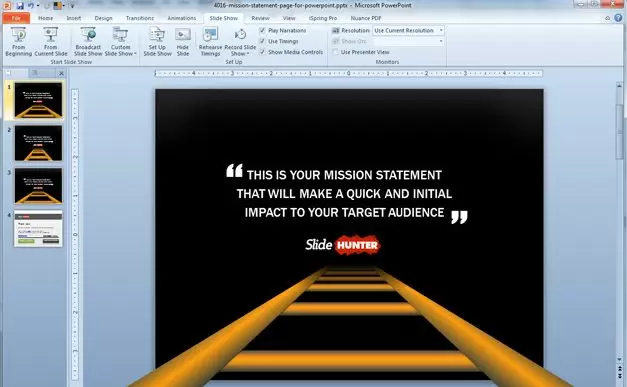
The slide template contains a simple stairs illustration created with PPT shapes with different design variants.
You can use this slide design to describe the mission statement, also known as the reason for existing. The mission statement should guide the actions of the organization, spell out its overall goal, provide a path, and guide decision-making. You can think it as a framework or context within which the company’s strategies are formulated. It’s like a goal for what the company wants to do for the world. This mission statement template can be part of a complete strategic planning PowerPoint template, including:
- Mission statement
- Vision statement
- Values declaration
For example, the Mission Statement of McDonalds is:
To provide the fast food customer food prepared in the same high-quality manner world-wide that has consistent taste, serving time, and price in a low-key décor and friendly atmosphere.
You can download this free template for Mission Statement presentations for students, as well as real business presentations created by managers who need to convey a mission statement message within an organization as part of a strategic planning PPT presentation.
How to customize it
- Download the file. If it arrives as a .zip, extract it to get the .pptx.
- Open it in PowerPoint or Keynote, or upload it to Google Drive and choose Open with › Google Slides.
- Click any shape or text box to edit it. Change colours under Shape Format › Shape Fill.
- Delete the slides you don’t need, then save under a new name.
Questions
Is this template free?
Yes. It is free to download with no account. Free for personal and commercial use. Edit freely, no credit needed. Don’t resell or re-upload the templates themselves.
Does it work in Google Slides or Keynote?
It is a PowerPoint (.pptx) file. Google Slides and Keynote both open .pptx files; upload it to Google Drive and choose Open with › Google Slides, or open it directly in Keynote. Some effects can look slightly different outside PowerPoint.
Can I change the colours and text?
Yes. The diagrams are built from editable shapes and text boxes, so you can recolour, resize and rewrite every element.