Home ย  PowerPoint Tutorials

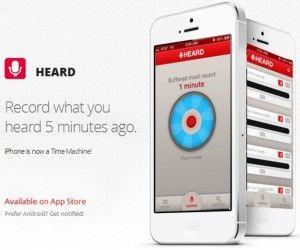
HEARD App For iPhone Lets You Record Audio 5 Minutes From The Past

It often happens that one can end up missing out on some important detail during a Keynote or PowerPoint Presentation, webinar, conference or seminar. In such a case one may not be able to ask the presenter to repeat what he/she just said. Besides, it can be embarrassing and obtrusive to ask the presenter to […]

Different Methods To Deliver A Persuasive Sales Speech

A sales pitch is may sometimes be nothing more than just a well-planned PowerPoint presentation of a product or service intended to start and close a sale. It is basically a brief introduction about the product that you are going to launch or a persuasive presentation to attract clients. Here are 5 different methods to […]

Advertisement

Europe Map Toolkit Template For PowerPoint

Maps are an interesting way of outlining important aspects of a business or academic presentation. Previously, we brought you the Widescreen World Map Toolkit Template For PowerPoint, which provides animated slides with customizable maps for all major countries of the world. If you are looking for a similar Animated PowerPoint Template for Europe, then you […]

Comical Styles To Commence A Speech

Adding fun elements to your speech can help in improving your efficiency as a speaker. It is your speech only which will give you that required presentation success so it has to be powerful with an interesting opening.

Personality Attributes Of A Good Speaker

Most of you must know, presenting your idea or speech in front of audience needs great skills and obviously much more than just knowing what you are going to speak about. Therefore, it becomes important to learn various Personality Attributes of a Good Speaker. For the reason below we will be discussing about the vital […]

How to Change the Presentation Author in Microsoft PowerPoint 2010

It may not be obvious in PowerPoint but you may be interested to change the presentation author name. Especially if you are receiving a PPT presentation that you need to edit in your own MS Office or computer, or if you are taking a PPT from any other source, editing it and claiming that you […]

Advertisement