Home   PowerPoint Tutorials
voice analyst app

Improve Your Pitch and Volume for Public Speaking with Voice Analyst

Public speaking requires not only confidence but also the right pitch and volume. You can give your PowerPoint presentation or impromptu speech the right tone by practicing your public speaking skills. And we nowadays have various tools which can help us fine tune our skills, such as the Voice Analyst app. This mobile app can […]

PP Timer: Add a Digital or Analog Timer to PowerPoint Slides

Sometimes you need to announce a break during a presentation. However, people can lose track of time during a tea break or an informal chit-chat with colleagues. This is why making a timer visible onscreen can enable you to ensure that the break ends when the timer stops! PP Timer is an add-in for PowerPoint […]

Advertisement
Animated social media PowerPoint template

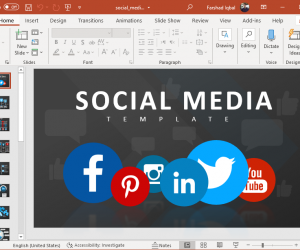
Animated Social Media PowerPoint Template

If you work in the communications department of an organization, are a social media manager or manage at least one social media account as a part of your job, you need to probably present metrics periodically. Sometimes, the metrics are really positive but making them look good requires some hard work. You can skip the […]

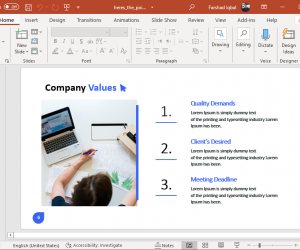
Company values infographic

Animated Make Your Point PowerPoint Template

Making your point quickly during a presentation without boring your audience is the key to avoid being ignored. This is especially true for pitch decks and presentations where the audience might be tired due to a lengthy conference. Here’s The Point is the name of a presentation template that can help you make your point […]

How to Present PowerPoint on Zoom, Teams, Skype, Webex and Google Meet

How to Present PowerPoint on Zoom, Teams, Skype, Webex & Google Meet

As WFH and remote meetings become frequent, there is now a need to better understand the use of platforms where people often require presenting PowerPoint presentations. We have singled out the top remote meeting platforms to show you how to present PowerPoint on Zoom, Teams, Skype, Webex and Google Meet.

How to Draw Curved Lines in PowerPoint

If you need to design or draw curvy lines in PowerPoint for your next presentation then here we will show you how to draw these curved lines for your slides. First, we start adding a rectangle into the slide. You can use the rectangle shape in PowerPoint 2010 and insert it from the Insert menu. Click […]

Advertisement