Curva de Rendimiento para PowerPoint
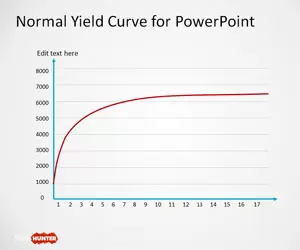
La plantilla de PowerPoint con curva de rendimiento es un diseño de diapositiva que incluye una curva de rendimiento (conocida en Inglés como Yield Curve) y que puede ser utilizada en presentaciones.
- Format
- .pptx
- Downloads
- 2,609
About this template
La plantilla de PowerPoint con curva de rendimiento es un diseño de diapositiva que incluye una curva de rendimiento (conocida en Inglés como Yield Curve) y que puede ser utilizada en presentaciones.

You can use this yield curve to plot the interest rates at a set point in time of bonds with equal credit quality but different maturity dates.
There are different yield curve designs but the most popular ones are the yield curve that compares the 3-month, 2-year, 5-year and 30-year U.S. Treasury debt. The yield curve is used as a benchmark for other debt in the market. For example it is also used to compare the mortgage rates or bank lending rates as well as predicting changes in economic output and growth.

Inside this free yield curve design for PowerPoint you can find useful Yield Curve illustrations created with shapes. The editable shapes for PowerPoint help you to make financial presentations including yield curves. You can copy and paste the yield curve into your own presentation slides.

The three slides inside this presentation template contains different yield curve designs. The 3rd. slide design also has a marker which let you easily highlight any desired point in the curve. You can easily move the marker to any desired location in the plot curve.
También se pueden descargar otras curvas para PowerPoint como por ejemplo las gráficas de figuras con la curva en forma de J para PowerPoint.
How to customize it
- Download the file. If it arrives as a .zip, extract it to get the .pptx.
- Open it in PowerPoint or Keynote, or upload it to Google Drive and choose Open with › Google Slides.
- Click any shape or text box to edit it. Change colours under Shape Format › Shape Fill.
- Delete the slides you don’t need, then save under a new name.
Questions
Is this template free?
Yes. It is free to download with no account. Free for personal and commercial use. Edit freely, no credit needed. Don’t resell or re-upload the templates themselves.
Does it work in Google Slides or Keynote?
It is a PowerPoint (.pptx) file. Google Slides and Keynote both open .pptx files; upload it to Google Drive and choose Open with › Google Slides, or open it directly in Keynote. Some effects can look slightly different outside PowerPoint.
Can I change the colours and text?
Yes. The diagrams are built from editable shapes and text boxes, so you can recolour, resize and rewrite every element.