Attribution Theory PowerPoint Template
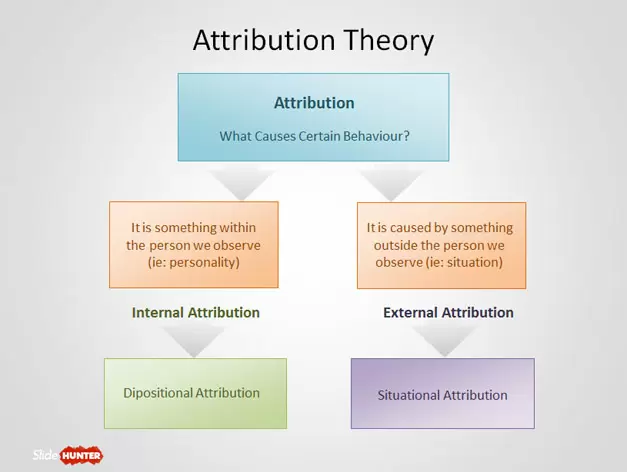
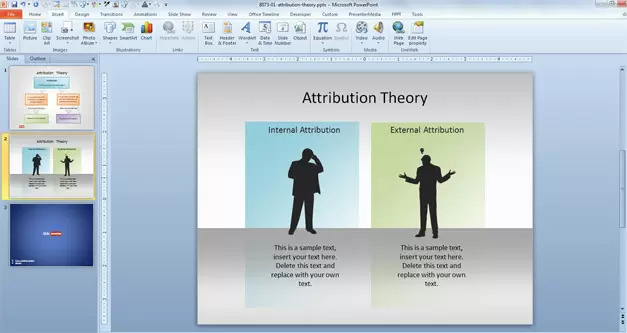
Free Attribution PowerPoint template with Attribution Theory diagram for PowerPoint contains two slide designs that you can download and use for your presentations on attribution including internal attribution and external attribution.
- Format
- .pptx
- Downloads
- 9,367
About this template
Free Attribution PowerPoint template with Attribution Theory diagram for PowerPoint contains two slide designs that you can download and use for your presentations on attribution including internal attribution and external attribution.
Attribution theory is a concept that make you learn how individuals interpret events and how this relates to their thinking and behavior. This model was first proposed by Heider as part of the psychological theory of attribution and then another theoretical framework was developed changing the overall paradigm of social psychology.
Attribution theory assumes that people try to determine why people do what they do in a way that attribute causes to behavior so this can be associated to cause & effect. The diagram in this attribution PPT template helps to show in a presentation how a a person seeking to understand why another person did something may attribute one or more causes to that behavior. This is done in three stages:
- The person must perceive or observe the behavior.
- The person must believe that the behavior was intentionally performed.
- The person must determine if they believe the other person was forced to perform the behavior.

This attribution theory diagram helps to visualize the process with a simple tree diagram style and arrows. You can edit the text inside the diagram after downloading the free template for PowerPoint 2010 and 2013.
You can download this free PowerPoint template for presentations on social perception and psychology.
How to customize it
- Download the file. If it arrives as a .zip, extract it to get the .pptx.
- Open it in PowerPoint or Keynote, or upload it to Google Drive and choose Open with › Google Slides.
- Click any shape or text box to edit it. Change colours under Shape Format › Shape Fill.
- Delete the slides you don’t need, then save under a new name.
Questions
Is this template free?
Yes. It is free to download with no account. Free for personal and commercial use. Edit freely, no credit needed. Don’t resell or re-upload the templates themselves.
Does it work in Google Slides or Keynote?
It is a PowerPoint (.pptx) file. Google Slides and Keynote both open .pptx files; upload it to Google Drive and choose Open with › Google Slides, or open it directly in Keynote. Some effects can look slightly different outside PowerPoint.
Can I change the colours and text?
Yes. The diagrams are built from editable shapes and text boxes, so you can recolour, resize and rewrite every element.