3D Reverse Pyramid Four Blocks for PowerPoint Template
Free Reverse 3D Pyramid template and diagram is an awesome and creative slide design with a 3D pyramid design presented in reverse mode.
- Format
- .zip
- Downloads
- 9,829
About this template
Free Reverse 3D Pyramid template and diagram is an awesome and creative slide design with a 3D pyramid design presented in reverse mode. This is very similar to the 3D Pyramid template that you can download for PowerPoint presentations but with the top of the pyramid pointing to the bottom of the slide. The pyramid base is in the ceiling while the top of the pyramid is on the floor.
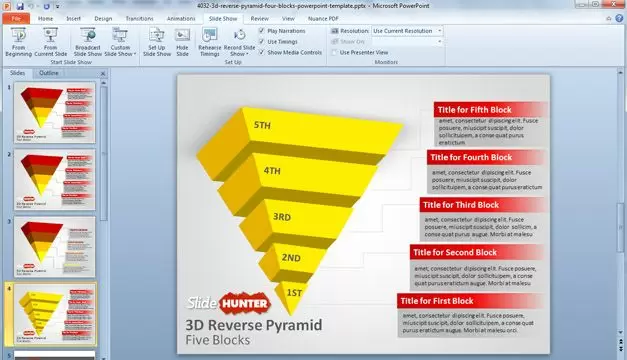
You can download this free 3D reverse pyramid template to model hierarchical data using PowerPoint. The template comes with four unique slide designs containing 3D pyramid with four steps and five steps and stages.
You can edit the steps and use the text boxes on the right to add description about the pyramid diagram. You can use this 3D template as a reverse pyramid training template or to model reverse engineering topics.
How to customize it
- Download the file. If it arrives as a .zip, extract it to get the .pptx.
- Open it in PowerPoint or Keynote, or upload it to Google Drive and choose Open with › Google Slides.
- Click any shape or text box to edit it. Change colours under Shape Format › Shape Fill.
- Delete the slides you don’t need, then save under a new name.
Questions
Is this template free?
Yes. It is free to download with no account. Free for personal and commercial use. Edit freely, no credit needed. Don’t resell or re-upload the templates themselves.
Does it work in Google Slides or Keynote?
It is a PowerPoint (.pptx) file. Google Slides and Keynote both open .pptx files; upload it to Google Drive and choose Open with › Google Slides, or open it directly in Keynote. Some effects can look slightly different outside PowerPoint.
Can I change the colours and text?
Yes. The diagrams are built from editable shapes and text boxes, so you can recolour, resize and rewrite every element.