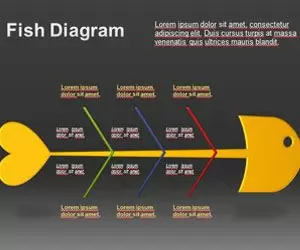
Fish Diagram Template for PowerPoint
A free fishbone diagram template for PowerPoint to present cause-and-effect analysis, identify factors causing specific events, aiding product design and quality.
- Format
- .pptx
- Downloads
- 35,358
About this template
Fish Diagram for PowerPoint is another impressive free fish diagram for presentations in Microsoft PowerPoint. You can free download diagrams like fish diagrams to make presentations and impress your audience.
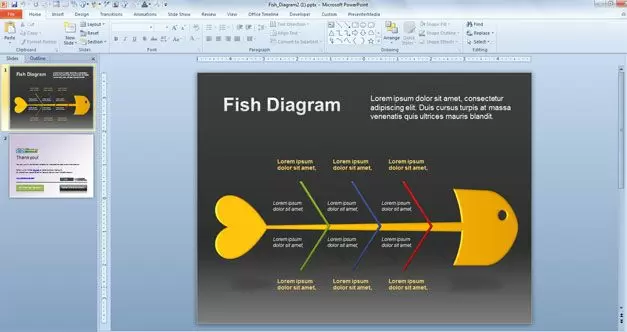
The graphic in the screenshot shows one of the slides available in this fishbone diagram template for PowerPoint.
Fishbone diagrams are also called Ishikawa diagrams or herringbone diagrams, cause-and-effect diagrams, or Fishikawa. These kind of diagrams are causal diagrams created by Kaoru Ishikawa (1968) that show the causes of a specific event. Common uses of the Fish Diagrams are product design and quality defect prevention, to identify potential factors causing an overall effect.
This free fish diagram has a fish style but similar to the diagram. Causes in Fishbone diagrams are usually grouped into major categories to identify these sources of variation. The categories typically include: people, methods, machines, materials, measurements and environment. You can free download Fish Diagram for Microsoft PowerPoint.
How to customize it
- Download the file. If it arrives as a .zip, extract it to get the .pptx.
- Open it in PowerPoint or Keynote, or upload it to Google Drive and choose Open with › Google Slides.
- Click any shape or text box to edit it. Change colours under Shape Format › Shape Fill.
- Delete the slides you don’t need, then save under a new name.
Questions
Is this template free?
Yes. It is free to download with no account. Free for personal and commercial use. Edit freely, no credit needed. Don’t resell or re-upload the templates themselves.
Does it work in Google Slides or Keynote?
It is a PowerPoint (.pptx) file. Google Slides and Keynote both open .pptx files; upload it to Google Drive and choose Open with › Google Slides, or open it directly in Keynote. Some effects can look slightly different outside PowerPoint.
Can I change the colours and text?
Yes. The diagrams are built from editable shapes and text boxes, so you can recolour, resize and rewrite every element.